From quote to journal entry without leaving the system: work orders
with part-level traceability, a QR shop-floor kiosk, lot-based inventory,
quality, maintenance, invoicing and accounting. Everything connected,
no data entered twice, plus an iOS and Android app for the people on
the shop floor and in the field.
Generic ERPs stay in the office; the real work happens on the shop floor.
Paper work orders
Nobody knows which operation each part is in or how long it really took, until someone walks over and asks.
Inventory never matches
The system says one thing and the shelf says another, and drops and leftovers go unrecorded.
Estimates without real data
Jobs are quoted without knowing the real cost of past work, and the margin on each order is a mystery.
Everything is typed twice
The quote is retyped into the invoice, the invoice into accounting, and every transcription adds new errors.
One flow, from opportunity to journal entry
Each document is created from the previous one. Nothing is copied by hand, nothing gets lost,
and the whole chain stays linked: open an invoice and drill down to the part that produced it.
Payroll periods and public holidays configured for your country
Automatic attendance with late arrivals, overtime and double time by shift
Punches from the app using the phone’s biometrics and an approved location
Vacation, holidays and breaks by schedule according to local labor law
🛟
Support
Tickets and customer service
Tickets with a shared inbox
History per customer: what was handled and how it ended
Conversations per document chain: the thread follows the order
🏢
Meeting Rooms
Booking and approval of spaces
Rooms with capacity, amenities and a manager for each room
Numbered bookings with a configurable approval flow
Shared calendar with filters and colors per room; book straight from an open slot
Booking button available from any module, with a My bookings panel
Corporate calendar event and video-call link created automatically
🗺️
Courier
Delivery routes with stops linked to operations
Numbered routes with pickup, delivery or errand stops
Each stop can be linked to a purchase order, work order or outside service
Branch locations for customers and suppliers, with receiving hours shown
My route mobile view for the driver, with turn-by-turn navigation to each stop
Each stop closed with a note and a photo as proof
Driver location on the map while the route is in progress (from the app)
🗂️
Catalogs
Your operation’s master data
Machines, processes with hourly cost, and units of measure
Parts with revision-controlled drawings: PDF, STEP and STL in the browser
Operation templates to reuse manufacturing routings
Products and services for direct sale
⚙️
Administration
Companies, users and permissions
Multi-company: each company with its own data and settings
Users with roles and permissions per module, down to each action
Custom fields and sections per record type, no coding
Configurable barcode symbology and print sizes
Feature switches: each company turns on only what it uses
Light or dark mode, compact view and language per user
Built-in user guide in every module, always up to date
Capabilities you won’t find in a generic ERP
QR shop-floor kiosk
Operators clock the start and end of each operation by scanning the order’s QR with their badge. Actual times per part are recorded automatically, with no computer needed at each station.
Part-level traceability
Not just per order: every part has its own routing, times, inspection and partial deliveries. Quality and Shipping can move in batches without waiting for the full lot.
2D and 3D drawing viewer
PDF, STEP and STL right in the browser, tied to the part and its revision. The shop always works from the right drawing.
Automatic accounting
Real double-entry bookkeeping: every invoice, payment, material issue or depreciation posts its journal entry automatically. Your accountant gets up-to-date books, ready for review.
Fields that fit you
Each company adds its own sections and fields from Administration, with no coding. Material families with their own attributes and min/max alerts.
Biometric attendance
The fingerprint time clock connects directly: punches land in HR automatically and feed payroll, with no timesheets or data entry.
Live 3D plant
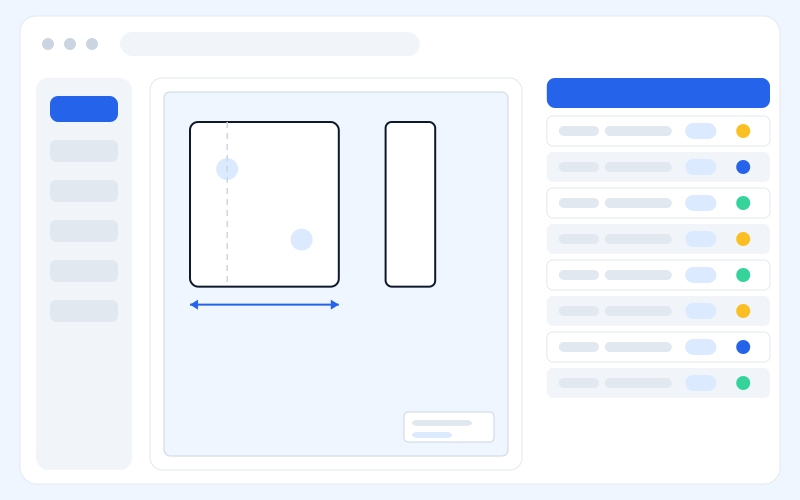
Your shop in three dimensions: every machine in its place, with what it is running, its load and what is late. One look tells you where the bottleneck is.
Team messaging
Internal chat by department, groups and direct messages, on the web and in the app. Announcements ask for read confirmation, and any message can be sent to a work order to stay in its history.
An app for the floor and the field
Biometric, location-verified punches, QR time tracking on orders, delivery routes and requests from the phone. Available on iOS and Android.
New · Available on iOS and Android
Precix goes in your team’s pocket, too
The Precix app is for the people who don’t sit at a computer: machine operators,
field technicians and drivers. It works with the same ERP data in real time,
and HR decides who uses it and what they can do.
Biometric punches
Clock in and out with the phone’s own Face ID or fingerprint, a backup photo and a location inside the approved site.
Time on work orders
Operators scan the order or part QR, start and stop their work, and report good parts and scrap.
Delivery routes
Today’s stops with navigation, closeout with a note and photo, and location on the map only while the route is in progress.
My hours
Everyone sees their own punches and weekly hours, including late arrivals and overtime, without asking HR.
Requests and rooms
Request a purchase with a photo of the part and book a meeting room from the phone.
Team messaging
Department chats, groups and direct messages with notifications, read-confirmed announcements and attachments.
No passwords to remember: HR enables the app per person and hands them an activation
code with a QR. When opened, the phone asks for Face ID, fingerprint or its passcode.
If someone leaves the company or loses their phone, their session is closed from Precix.
Precix doesn’t live in a silo: it integrates with your email, your calendar, the tax
authority’s platform and the devices on your floor.
Microsoft 365
Meetings and room bookings create the Outlook event and the Teams call
automatically. Company mailboxes connect to the system to receive
supplier quotes and electronic invoices.
Electronic invoicing
Issuing and receiving invoices integrated by API with the tax authority’s
platform where required (version 4.4 in Costa Rica), with automatic forwarding
to your accountant and status tracking for every document.
Time clocks
Fingerprint time clocks connect directly: every punch reaches HR in real
time and feeds payroll, with employee enrollment managed from the
system itself.
QR and barcode scanners
Shop-floor, warehouse and shipping kiosks work with standard USB scanners:
badges, orders and lots are identified with a single scan, with no extra
software or proprietary hardware.
Ready for your market
Local compliance, handled from day one
Precix runs natively in English and Spanish (with more languages on
the roadmap), and its architecture is built to adapt to each market’s
regulations. In Costa Rica, where it was born, all of this already
comes out of the box:
🧾
Electronic invoicing 4.4
Issuing and receiving electronic invoices under current tax regulations, configurable per company.
🪪
Automatic tax ID lookup
Enter a tax ID and the system looks it up in the tax authority’s registry and fills in the name and tax status automatically.
💱
Multi-currency under control
The official exchange rate is locked on each document when it is created, so the books stay consistent even as rates change.
📅
Local holidays and payroll
On-time KPIs skip public holidays, and payroll runs in the local currency as it should.
One complete system for everyone
Precix isn’t sold by module or by tier: every implementation includes the full
platform, with all 19 modules and every capability. The proposal is sized to
your operation, not to a feature list.
Full platform
✓All 19 modules included, nothing locked
✓Multi-company with separate data and settings
✓Continuous updates included
✓Interface in English and Spanish
Phased implementation
✓Start with the highest-impact modules
✓Data migration from your current system
✓Team training at every phase
✓Timeline agreed in the proposal
Hands-on support
✓Support from the team that builds the system
✓Improvements and fields tailored to your operation
A system that brings together on one platform everything you now keep in spreadsheets, paper and separate programs: sales, production, inventory, purchasing, billing and accounting. Everything shares the same data, so information is entered once and is available across the whole system.
What kind of company is Precix for?
For job shops and manufacturers: metal fabrication, precision machining and make-to-order production. If your operation revolves around work orders, parts, machines and a materials warehouse, Precix is built for you, wherever you operate: the platform is bilingual (English and Spanish) and is localized to each market’s regulations. It also works very well as a back-office ERP (sales, purchasing, billing, accounting) for service companies.
Do I need to install anything?
No. Precix runs in the cloud and is used from a browser on a computer, tablet or phone. The shop-floor clock works on any tablet with a QR scanner, and shop-floor and field staff have a free iOS and Android app.
Is there a mobile app?
Yes. The Precix app is on the App Store (iPhone and iPad) and Google Play (Android). It is for shop-floor and field staff: clock in and out with the phone’s own Face ID or fingerprint plus location, log time on orders by scanning the QR, run delivery routes, check their hours, request purchases with a photo, book rooms and chat with their team. HR enables it per person with an activation code: no passwords to remember.
Can you migrate my current data?
Yes. We have migrated entire operations from other ERP systems and from spreadsheets: customers, contacts, opportunities, materials, suppliers, purchase orders and inventory on hand. Migration is planned as part of the implementation so you don’t lose history.
Does it handle electronic invoicing?
Yes. Precix issues and receives invoices with separate settings per company, and connects to the tax authority wherever electronic invoicing is mandatory (in Costa Rica it already complies with version 4.4). Localizing to your market’s requirements is part of the implementation.
Does it work if I have several companies?
Yes. Precix is multi-company: each company keeps its own data, numbering, billing settings and books, and users sign in with a single account to the companies they belong to.
How is it implemented, and how long does it take?
In phases: we start with the modules that have the biggest impact on your operation and add the rest as your team adopts the tool. The pace depends on scope; the proposal includes a concrete timeline.
Who provides support?
TicoWorks, the team that develops Precix, directly, in English or Spanish. No middlemen: you talk straight to the people who build the system.
What happens to my data?
It’s yours. It lives on dedicated servers with automatic backups, encryption in transit and role-based access control. If you ever end the service, you get all of your information in standard formats.
Can I see it working before I decide?
Yes. There is a live demo with sample company data at precix.cloud. Message us on WhatsApp to get access, or let’s schedule a walkthrough based on your own use cases.
Take your shop’s management to the next level
Explore the demo at your own pace and, whenever you like, we’ll walk you
through it applied to your operation. No commitment.